
Key Takeaways
- A yard check-in SOP standardizes how every truck is identified, verified, recorded, and directed from the moment it reaches your gate until it leaves.
- The core sequence has seven steps: pre-arrival, arrival and identification, verification, data capture, yard direction, dock handoff, and check-out.
- Every arrival should feed one live record, whether it came through a guard, a QR code, an appointment, or no appointment at all.
- The most common failure points are missing seal verification, unrecorded timestamps, and no defined path for trucks without appointments.
According to Peripass, Up to 72% of yard facilities cite simultaneous truck arrivals (uncoordinated peak delivery windows) as the leading cause of yard delays and reception lines
What Is a Yard Check-In SOP?
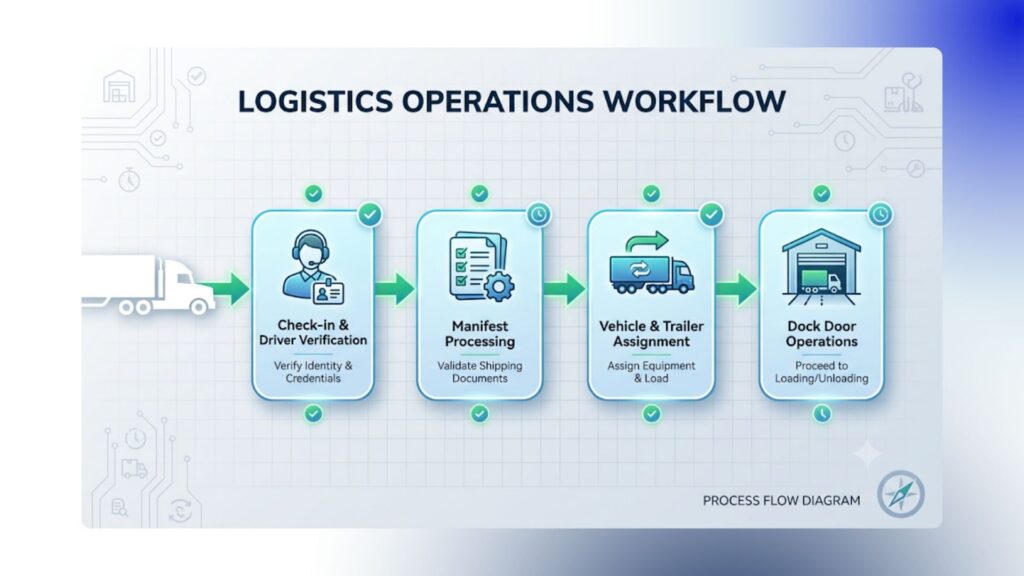
A yard check-in SOP is a written procedure that defines who does what, in what order, and what gets recorded when a truck arrives at a facility. It covers the gate, the yard, and the handoff to the dock, so every driver is processed the same way regardless of shift or staff.
A good SOP answers four questions:
- Who is allowed in, and how do we confirm it?
- What information must we capture?
- Where does the trailer go next?
- What do we do when something doesn’t match?
Who Is Involved in Gate Check-In?
Five roles typically touch a check-in: the driver, the gate guard, the warehouse desk, the yard jockey, and a supervisor. Defining each role’s responsibility is what prevents dropped handoffs.
| Role | Responsibility |
|---|---|
| Driver | Presents GatePass or ID, provides load details, follows yard instructions |
| Gate guard | Verifies identity and appointment, records trailer and seal details (attended gates) |
| Warehouse desk | Monitors arrivals in real time, assigns doors, resolves exceptions |
| Yard jockey | Moves trailers to assigned door or parking spot, updates status |
| Supervisor | Approves exceptions, reviews audit trail and KPIs |
The 7-Step Yard Check-In SOP
Step 1: Pre-Arrival Setup
Capture as much information as possible before the truck arrives. Pre-registration shortens gate time and reduces keying errors.
- Schedule the appointment (inbound or outbound, carrier, expected arrival time, dock)
- Pre-register driver, carrier, truck, trailer or container, and PO/BOL details
- Send the driver a GatePass by email or calendar invite
Step 2: Arrival and Identification
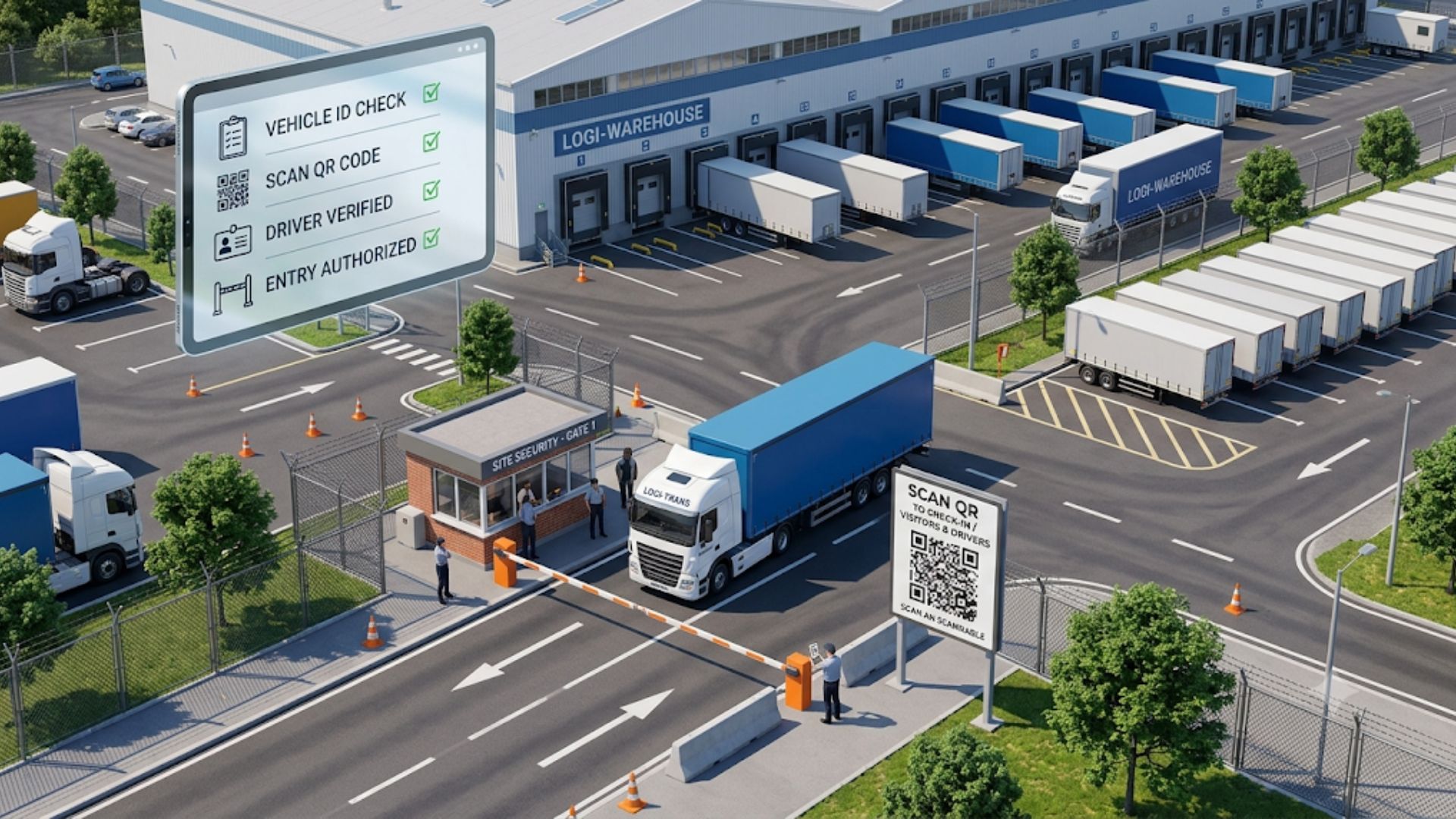
Identify the driver and match the arrival to an appointment within the first minute. Method depends on whether your gate is attended or unattended.
| Gate type | How identification works |
|---|---|
| Attended, with appointment | Guard scans GatePass or appointment number to pull up pre-registered details |
| Attended, no appointment | Guard captures driver, carrier, and load details on the spot |
| Unattended, with appointment | Driver scans QR code or appointment link and confirms details |
| Unattended, no appointment | Driver self-checks in via kiosk signage or mobile and enters carrier and load details for desk review |
According to Gatesentry, Manual guard checks operate at roughly 10–15 PPM (People Per Minute) because a physical guard must check a badge, visually match a photo, or look up an authorization on a computer.
According to RFI, High-throughput speed gates or similar technology like GateTrac and automated e-gates push capacity past 30–40+ PPM.
Step 3: Verification
Verify that what arrived matches what was expected before the truck enters the yard.
- Driver identity matches the record
- Carrier matches the appointment
- Trailer or container number matches
- PO/BOL or load reference matches
- Seal number is recorded and matches paperwork
Step 4: Data Capture
Record every transaction with a timestamp. The minimum data set:
- Arrival time
- Driver and carrier information
- Truck, trailer, or container number
- Inbound seal number and verification result
- Load type and PO/BOL
- Appointment status (on time, early, late, none)
Step 5: Yard Direction
Give the driver a specific destination, not a general instruction. Assign a dock door or a parking or staging spot, and update the trailer status.
| Status | Meaning |
|---|---|
| Pending | Expected, not yet arrived |
| Arrived | Checked in at the gate |
| Staged | Parked in the yard, awaiting a door |
| Empty | Unloaded, awaiting pickup or move |
| Departed | Checked out |
Step 6: Dock Handoff
Confirm door assignment and update the record as the trailer moves. The warehouse desk should always see which doors are occupied and which trailers are waiting.
Step 7: Check-Out
Record departure time, outbound seal number, and driver details, then close the record. Departure completes the timeline, so dwell and turn time can be calculated automatically.
Attended vs. Self-Service Gates: Which SOP Applies?
Use the attended SOP when a guard processes every input, and the self-service SOP when drivers check themselves in and the warehouse desk directs activity. Both should write to the same live record.
| Factor | Attended gate | Self-service gate |
|---|---|---|
| Who captures data | Guard | Driver |
| Throughput limit | Guard’s speed | Driver’s device, not staffing |
| Verification | In person | Desk review of submitted details |
| Best for | High-security or complex sites | Lower-risk sites, after-hours arrivals |
Handling Exceptions
Define the exception path in advance so guards aren’t improvising.
| Exception | Recommended action |
|---|---|
| No appointment | Capture full details, hold at gate, desk approves or reschedules |
| Seal mismatch | Stop processing, notify supervisor, document before proceeding |
| Wrong or unknown carrier | Verify with dispatch before entry |
| Early or late arrival | Log variance, desk decides whether to admit or hold |
| Missing documents | Hold at gate, record reason, escalate |
KPIs to Track From Your Check-In Data
Well-recorded check-ins produce the metrics that show whether the process works.
- Dwell time and turn time
- Dock utilization and yard occupancy
- Gate volume by date range
- Carrier performance
- Detention and demurrage exposure
Copy-Ready Yard Check-In Checklist
- Appointment confirmed or exception logged
- Driver ID or GatePass verified
- Carrier and trailer or container number recorded
- PO/BOL captured
- Seal number recorded and verified
- Arrival timestamp captured
- Dock door or yard spot assigned
- Trailer status updated
- Departure time and outbound seal recorded
- Record closed with full audit trail
Common Mistakes in Yard Check-In
- Skipping seal verification when the gate is busy
- No timestamps at each stage, so dwell can’t be measured
- Paper or whiteboard logs that can’t be searched or audited
- No defined process for no-appointment trucks
- Guard-only processing with no self-service option, so throughput caps at keying speed
Common Mistakes in Yard Check-In
- Skipping seal verification when the gate is busy
- No timestamps at each stage, so dwell can’t be measured
- Paper or whiteboard logs that can’t be searched or audited
- No defined process for no-appointment trucks
- Guard-only processing with no self-service option, so throughput caps at keying speed
Frequently Asked Questions
Roles, identification steps, verification checks, required data fields, yard direction rules, exception handling, and check-out steps.
Roles, identification steps, verification checks, required data fields, yard direction rules, exception handling, and check-out steps.
Not necessarily. Self-service check-in via QR code or kiosk can replace guard processing where risk allows, with the warehouse desk reviewing arrivals.
Capture full details at the gate, hold the truck, and have the desk approve or reschedule.
It documents load integrity at entry and exit and supports dispute resolution.
Yes. Appointment, carrier, load, and seal data can sync through an API rather than being re-keyed.
Timestamped arrival and dwell records provide documentation to prevent or dispute charges.
Author

Robert Ferreras
Robert Ferreras is the Founder, Barcode Consultants Inc. and works with warehouse and distribution teams on the practical side of operations: barcode scanning and labeling, wireless infrastructure, WMS and ERP integration, and standard operating procedures that hold up on the floor. Barcode Consultants Inc. brings more than 30 years of expertise in these areas across 3PL, distribution, and manufacturing sectors, and is the team behind GateTrac™ yard and gate management software and CountTrac™ mobile inventory counting.